A real app, not a config file
Manage your whole library in a native window. Search, edit, organize into groups.
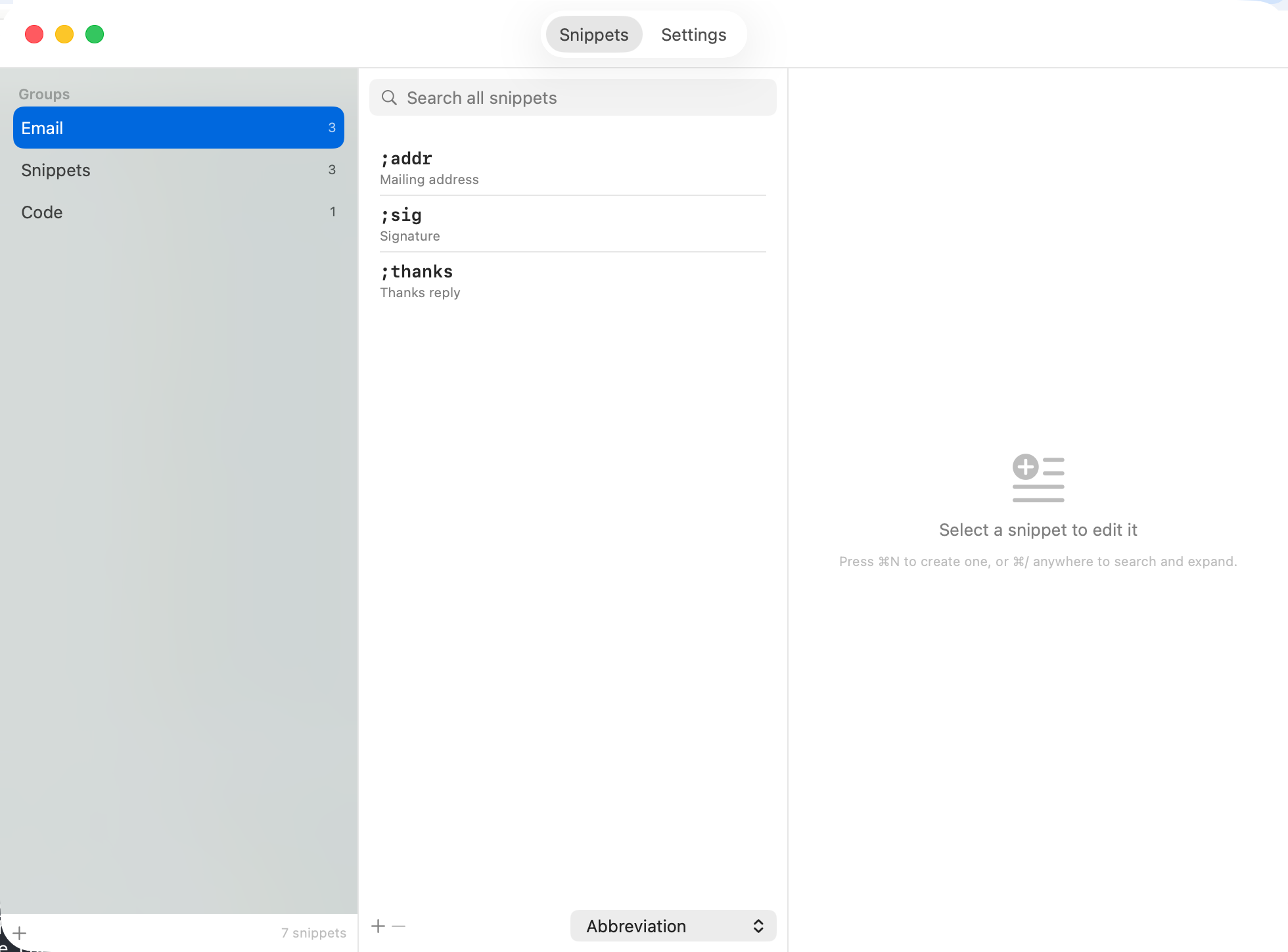
A free, open-source, native text expander for macOS. Type a short abbreviation — get the whole thing.
The muscle memory of TextExpander, as a native Mac app that stays on your machine.
Works in every app. Punctuation-prefixed abbreviations fire instantly; bare words wait for a terminator so normal typing is never eaten.
Forgot an abbreviation? Search your whole library by abbreviation, label, or content from inside any app, then press Return.
Reads your TextExpander library directly — groups, fill-ins, nested snippets, clipboard macros. Nothing to retype.
A snippet can pause and ask for a name, an amount, or a choice from a list, then assemble the final text.
Point it at a file in iCloud Drive or Dropbox. Guardrails back up before overwriting and refuse to lose a snippet.
No account, no telemetry, no network code at all. Nothing you type ever leaves your Mac. UI in English, 한국어, 日本語.
There are other text expanders. SnipKey is for a native Mac app with a real GUI, your TextExpander library imported as-is, and nothing in the cloud.
| SnipKey | TextExpander | Espanso | |
|---|---|---|---|
| Price | Free | Subscription | Free |
| Open source | ✓ MIT | ✕ | ✓ |
| Native GUI editor | ✓ | ✓ | Config files (YAML) |
| One-click TextExpander import | ✓ | — | ✕ |
| No account, fully offline | ✓ | ✕ | ✓ |
| Built-in UI: EN / 한국어 / 日本語 | ✓ | ✕ | ✕ |
Espanso is excellent — especially if you also want Linux and Windows. SnipKey is deliberately Mac-only and GUI-first, and it reads your existing TextExpander library so you keep every snippet.
Manage your whole library in a native window. Search, edit, organize into groups.
macOS 13 or later. The disk image is signed and notarized, so it opens with no Gatekeeper warning.
Upgrade later with brew upgrade --cask snipkey.